
How it works
Connect. Dress. Open the doors.
A branded meeting room is a page on your brand that hosts your video meeting inside it. Here's exactly how it works — for you and for your guests.
Step 01
Connect your meeting account
Link the meeting account you already use. Your meeting, your licence, your settings — BrandedRooms hosts that meeting on your page and never resells licences. A step-by-step guide walks you through the connection.
Step 02
Dress your room
Add your logo, colours and fonts, choose your room's address, and pick the offers you want beside the meeting — programmes, products, downloads, booking links.
Step 03
Open the doors
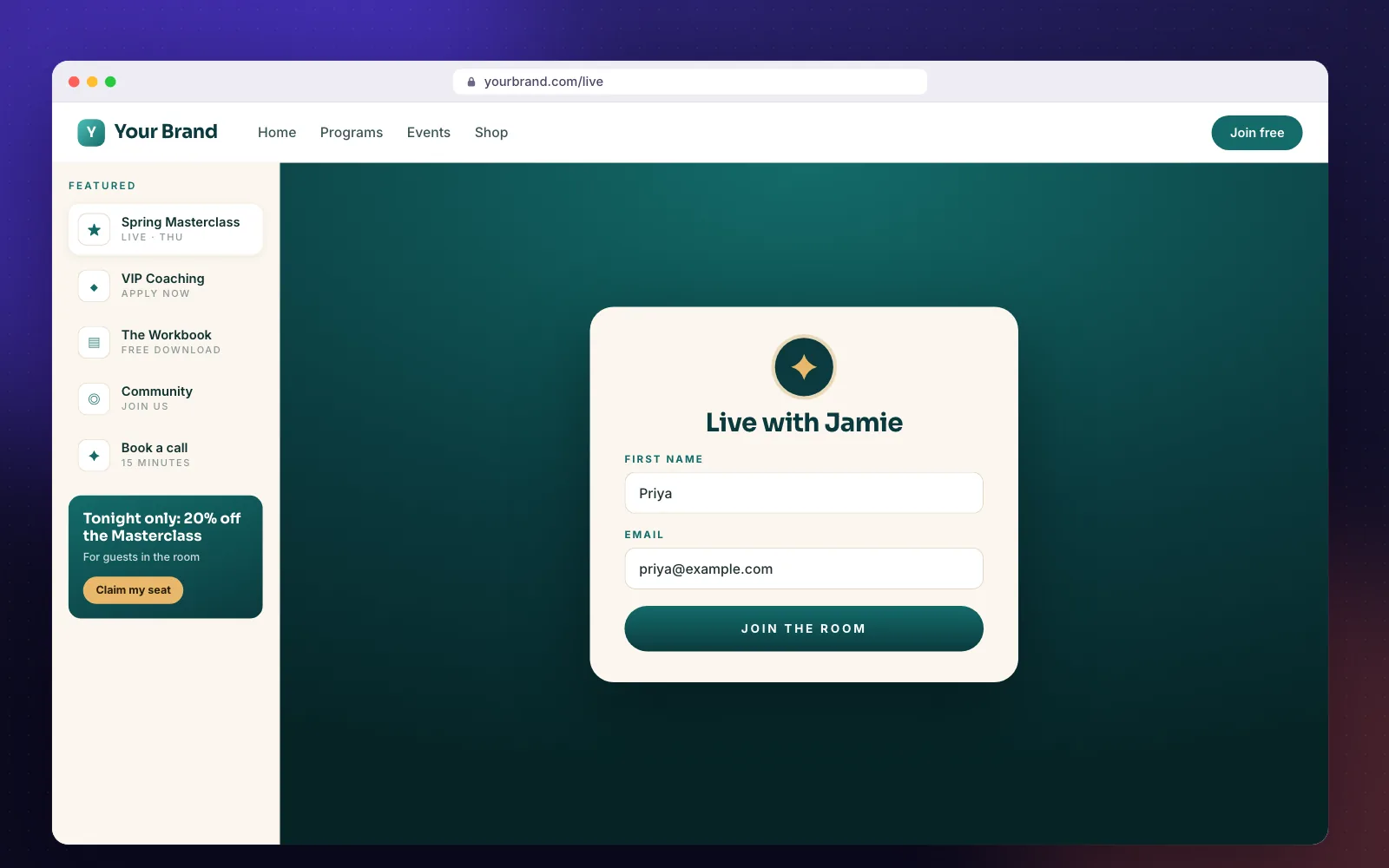
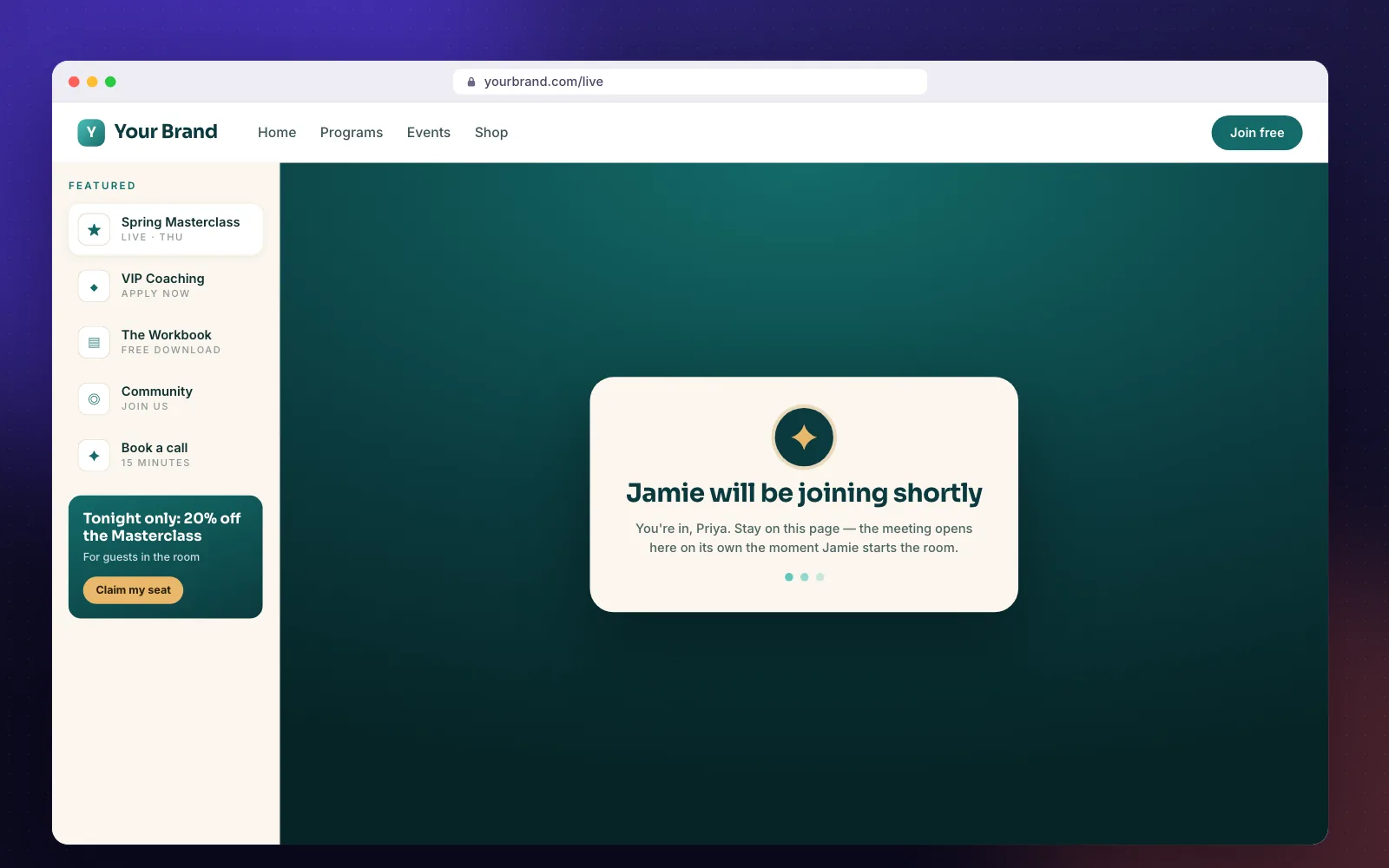
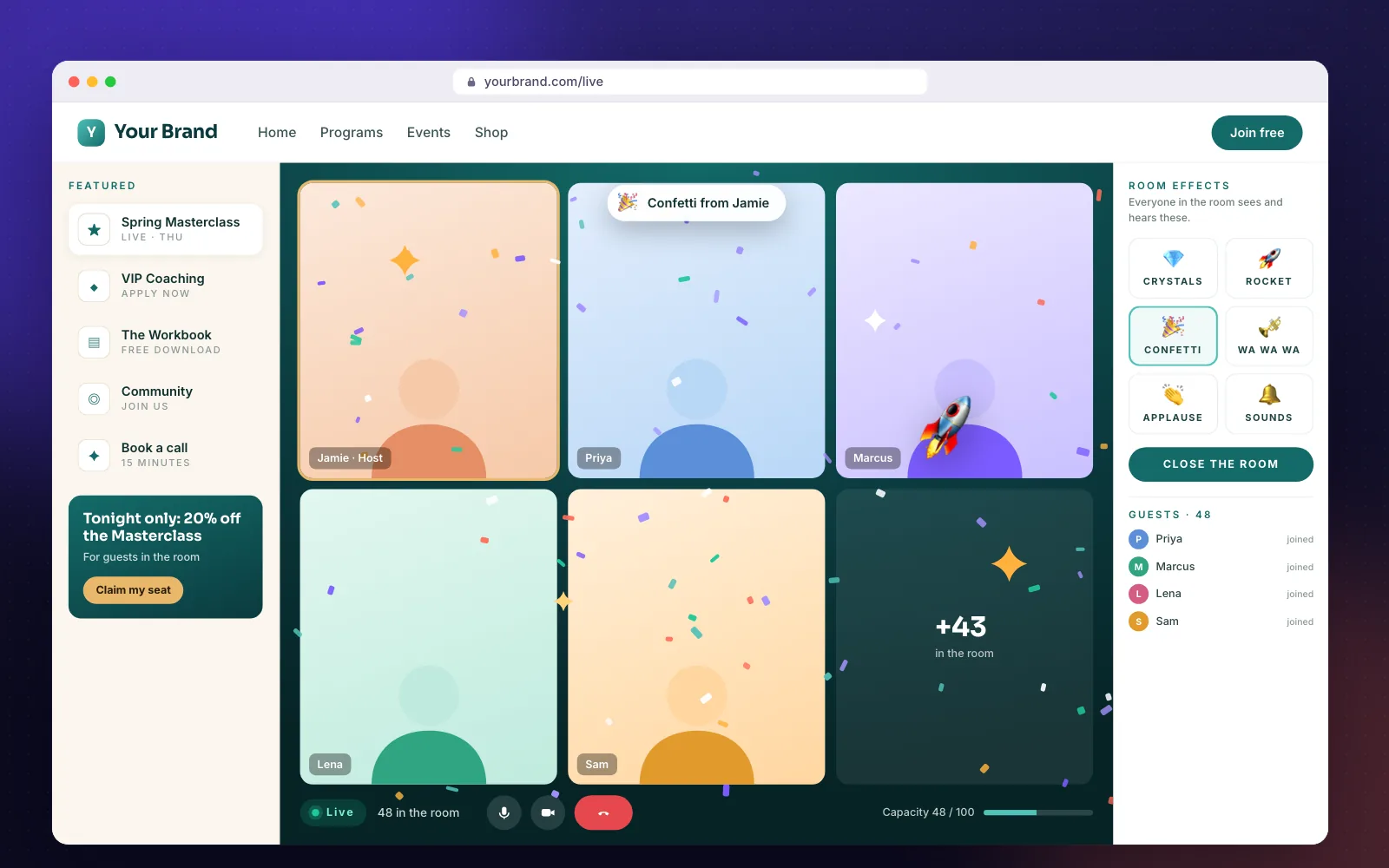
Share one link. Guests enter their name and email, wait in your branded lobby, and are brought in together the moment you start the room. Then make some noise.
The guest journey
What your guests experience.
- 01
Arrive
Your guest opens your room link — your page, your brand.
- 02
Say hello
They enter a first name and email at the door (email optional per room).
- 03
Wait in your lobby
“[Host] will be joining shortly” — on your colours, with a countdown.
- 04
You start the room
Start the meeting as host, press Start the room.
- 05
Everyone in together
Every waiting page switches to the meeting on its own, joined muted.
- 06
Celebrate
Confetti, rockets, applause — on every guest's screen at once.
- 07
Follow up
Guests flow into your funnel: replay, offer, next event.
Your setup
From signup to your first event.
When you open an account, a guided setup takes you through each step. Everything is saved as you go.
- 1AccountYour login is ready.
- 2Your plan30 days free — upgrade whenever you are ready.
- 3Room name & addressWhat guests see and where they go.
- 4BrandLogo and colours around the meeting.
- 5Connect your meeting accountOne-time connection to the meeting account you already use.
- 6Passcode & capacityGuests never type the passcode.
- 7Test the roomRun the checklist before the real thing.
- 8Go liveAsk us to open your doors.
FAQ
Frequently asked questions
How does a branded meeting room work?+
Three steps: connect the meeting account you already use, dress your room with your logo, colours and offers, then open the doors. Guests enter their first name and email, wait in your branded lobby, and are let in together when you start the room.
Do guests need to download anything?+
No. Guests join in the browser, right on your room page. Anyone who prefers the meeting app can still use the regular link.
Do I need a meeting passcode?+
Your meeting needs a passcode or a waiting room. We recommend keeping the passcode on and saving it in your room settings — guests never type it, the room passes it for them — and turning the platform's own waiting room off, because your branded lobby does that job.
Why do guests see “meeting has not started”?+
Your guests are waiting for the host to start the meeting. With your meeting account connected, the Go Live button in your dashboard starts the meeting as host inside the page and opens the doors in one press. Without the connection, the host has to start the meeting in the meeting app first.
Does BrandedRooms resell meeting licences?+
No. Your meeting plan is billed by your meeting provider. BrandedRooms only bills for rooms.
Open the doors to your own room.
No credit card required. Bring the meeting account you already use.