
Features
Everything around the meeting, made yours.
BrandedRooms keeps the meeting you already run and brings it home: your brand around it, your offers beside it, every guest captured and the big moments celebrated.
Your brand
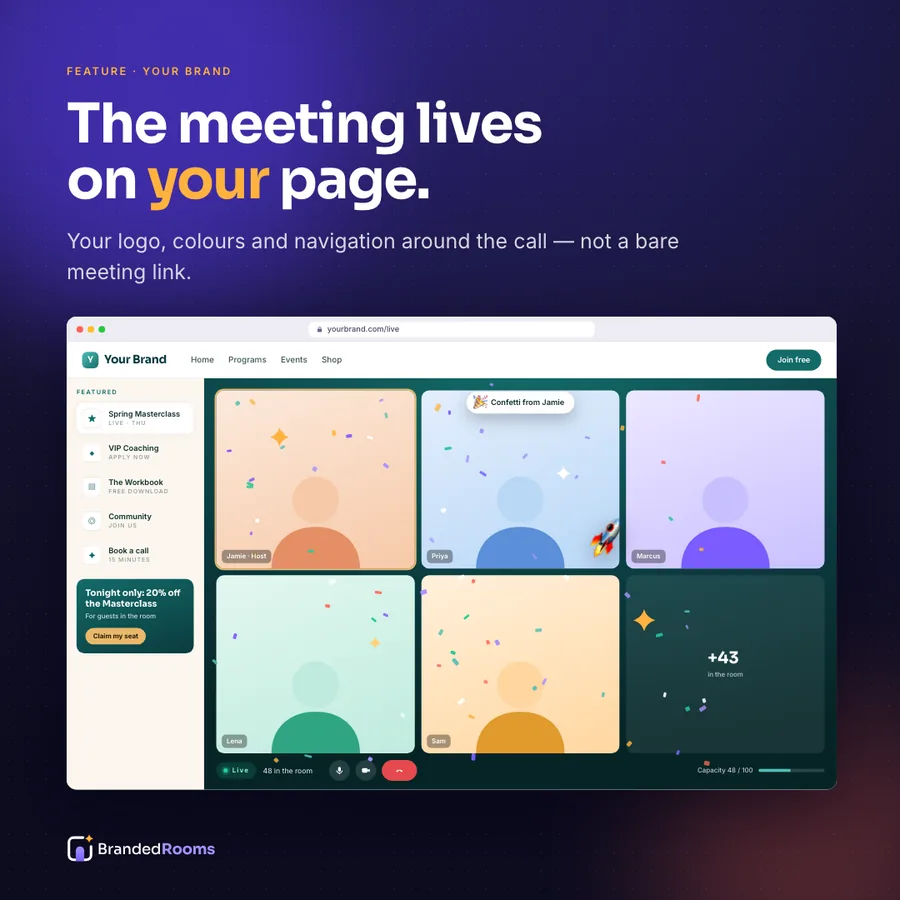
The meeting, inside your page
Your video meeting runs on your own web page, wrapped in your logo, colours and navigation. Guests never bounce out to a plain window — they stay on your site, with your brand around them the whole time.
- Your logo, colours and fonts (Branded Room and up)
- Your domain or a subdomain such as live.yourbrand.com
- Your site's navigation stays around the meeting
- Joins in the browser — nothing to download
Waiting room
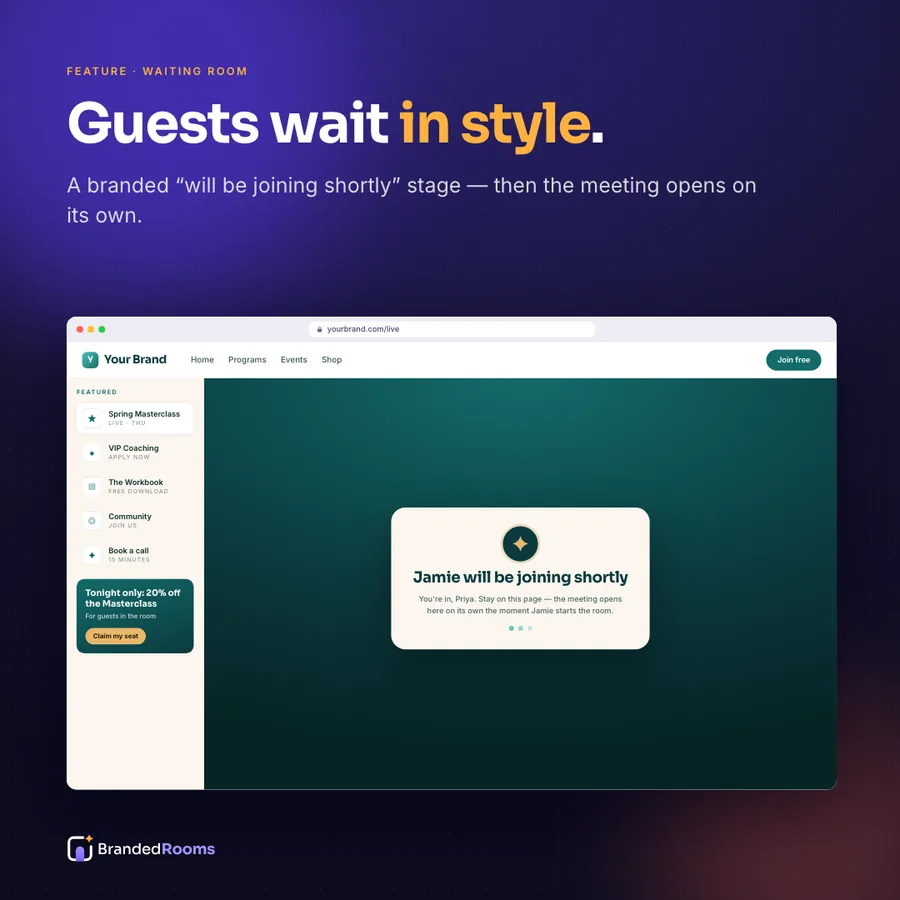
A lobby with your name on it
Before you start, guests see “[your name] will be joining shortly” on your colours — with a countdown and an add-to-calendar — instead of a grey holding screen.
- Branded “will be joining shortly” lobby
- Countdown and add-to-calendar
- No admitting people one by one
Start the room
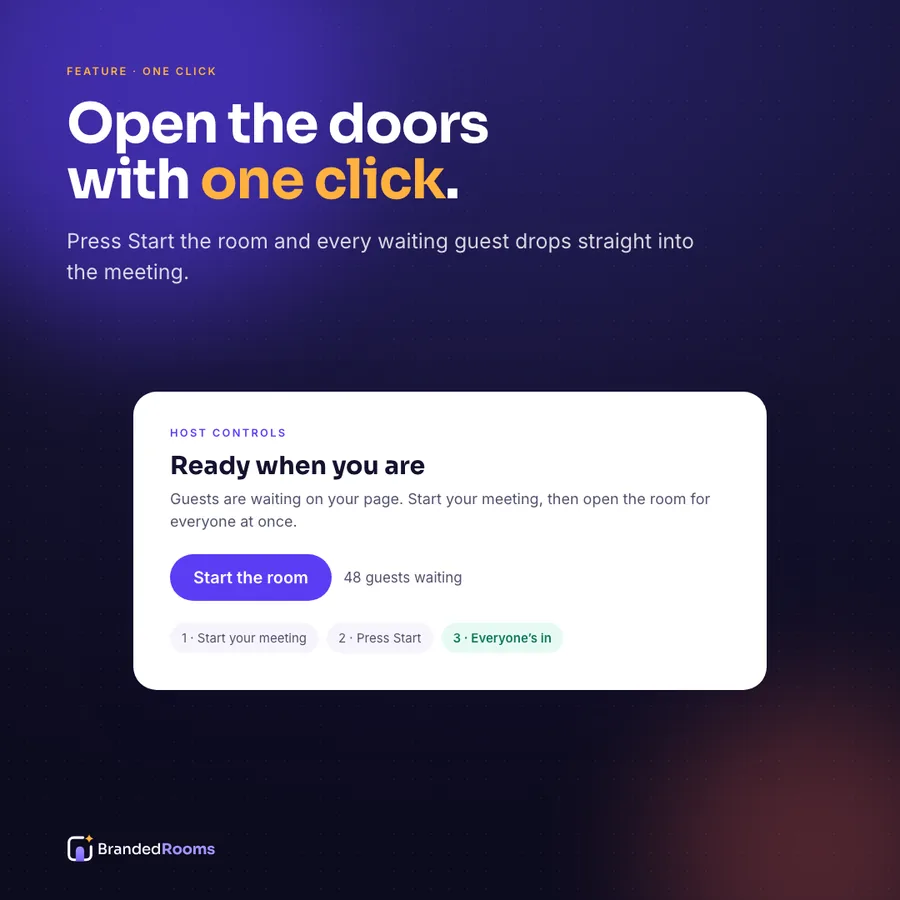
One click, everyone in together
Start your meeting as host, press Start the room, and every waiting guest's page switches to the meeting on its own — no reload, no click, joined muted.
- Everyone brought in at the same moment
- Guests join muted
- Close the room when you're done
Effects
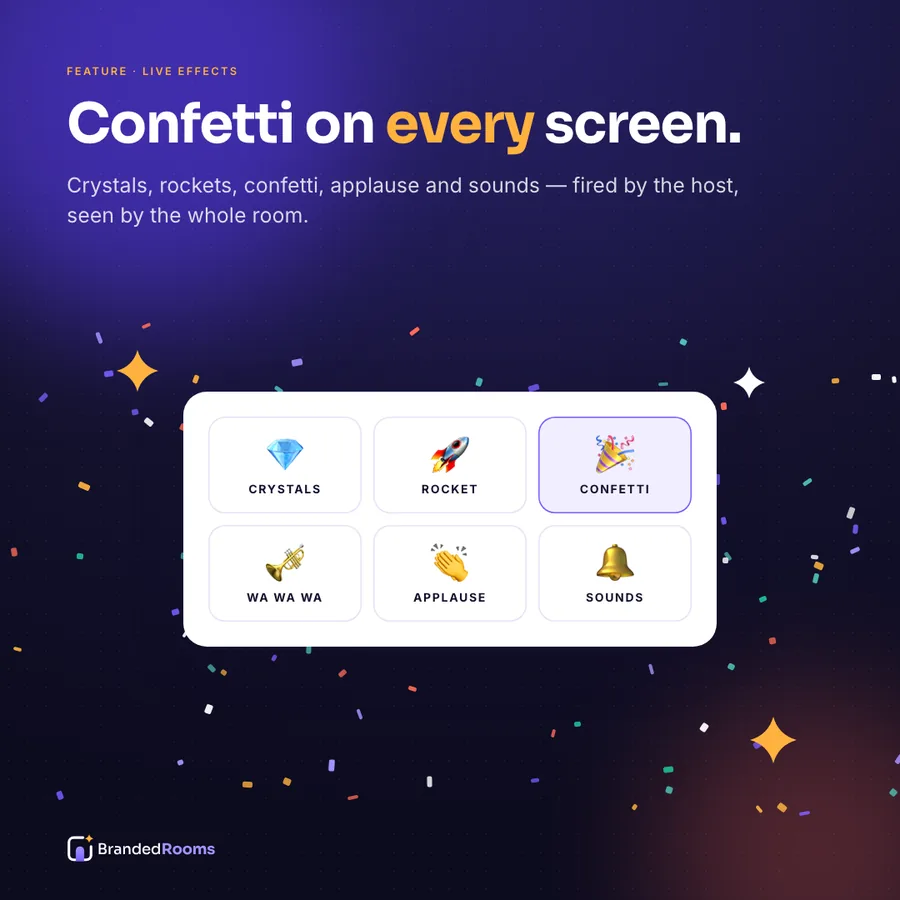
Moments people remember
Fire confetti, crystals, rockets, applause and sounds from your control panel (keys 1–5). They play over the meeting on every guest's screen at once — so when the number lands, the room hears it.
- Confetti, crystals, rockets, applause, sounds
- Seen and heard by everyone on the room page
- Your own music, effects, logo burst and sounds on Custom Deluxe
Guest capture
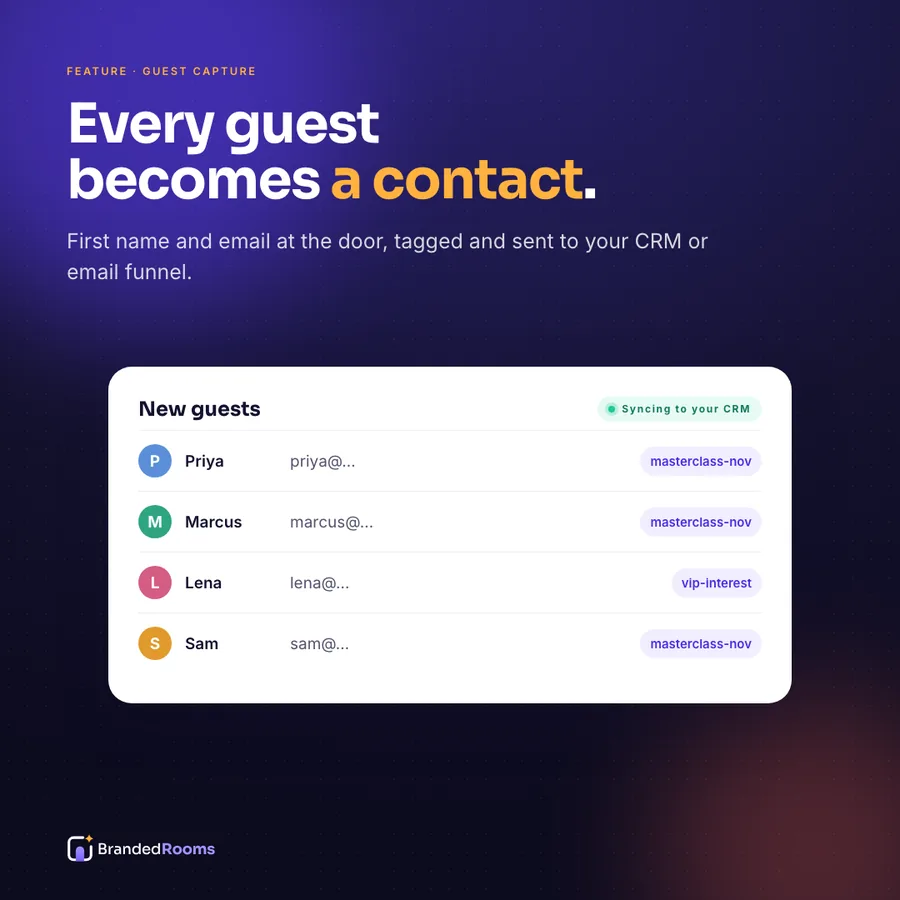
Every guest becomes a contact
First name and email at the door, tagged by event. Export a CSV on any plan; from a Branded Room up, send guests straight to your CRM or email tool with the right tags.
- First name + email at the door (email optional per room)
- Tagged by event
- CSV export · CRM and email hookups
Follow-upBranded Room
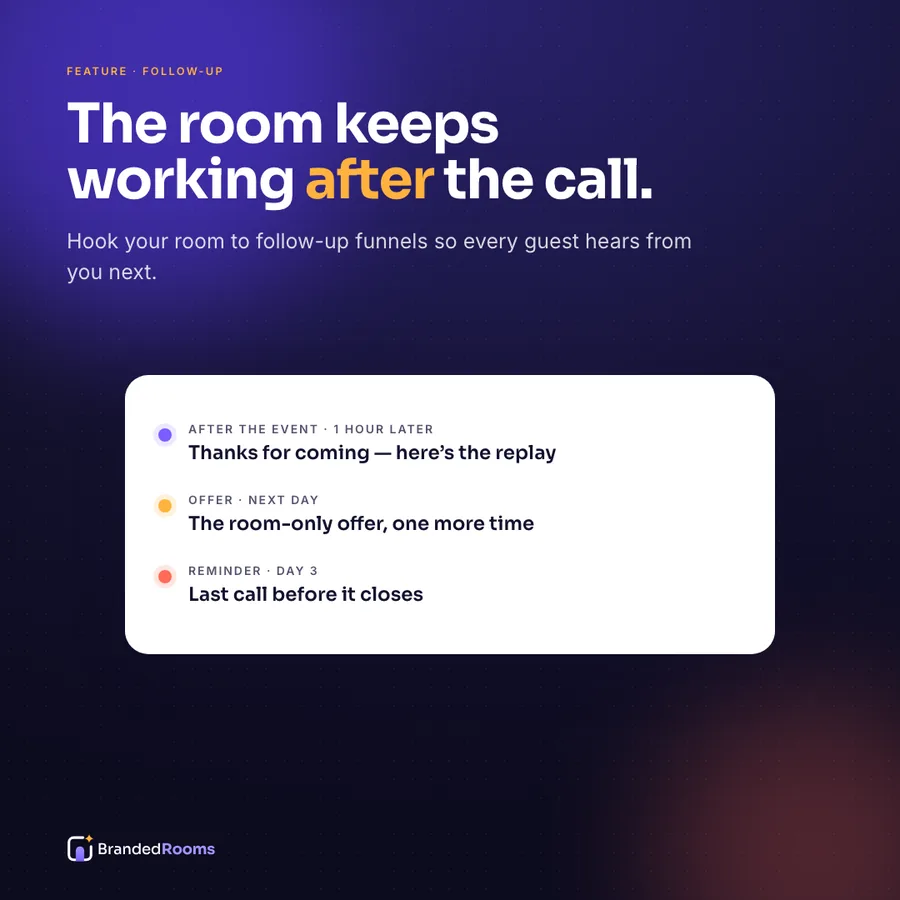
The follow-up is already done
After the event, guests flow into the follow-up you choose — the replay, the offer, the next event — so the moment keeps working after the room closes.
- Replay, offer and next-event funnels
- Uses your own email tool
- One marketing email per person per day, never a flood
Offers railBranded Room
Your offers, beside the meeting
A featured rail of your programmes, products, downloads and booking links sits beside the meeting. Each opens in a slide-over, so nobody leaves the call to find it.
- Programmes, products, downloads, booking links
- Opens without leaving the meeting
- A highlighted offer for tonight only
AttendeesBranded Room
Know who's in the room
A live attendee list shows who joined and when, and the room warns you before you reach your licence's participant limit.
- Live attendee list
- Capacity bar and warnings
- Exportable attendance
What the host sees
A control panel built for the moment.
Start & close the room
Open the doors when you're ready; close the room when you're done.
Fire effects
Buttons or keys 1–5 for confetti, crystals, rockets, applause and sounds.
See who's in
A live list of guests as they join.
Watch capacity
A bar that warns you before your licence limit.
The hosted room engine is opening soon — accounts and room setup are open today. How it works →
Go deeper
Feature guides
The live webinar attendee list: know who is in the room
A live webinar attendee list in your host control panel: see who is in the room right now, by name, and keep a tagged record of every guest who joined.
Read →The branded waiting room: a lobby that says who is hosting
A branded waiting room tells guests you will be joining shortly, counts down to the start and offers add-to-calendar, then opens the meeting for everyone.
Read →Meeting room branding that makes the room unmistakably yours
Meeting room branding with the brand kit: your logo, colours, fonts and navigation around the meeting and through the waiting room, on a Branded Room.
Read →Join the video meeting in the browser, right on your page
Guests join your video meeting in the browser, right on your room page, with nothing to download. Anyone who prefers the desktop app can still use it.
Read →The meeting capacity warning: plan for a full room
A meeting capacity warning in your host control panel tells you when your room nears your meeting plan's participant limit, so a full room is never a surprise.
Read →The event countdown page: a reason to come back on time
Your room doubles as an event countdown page: a live countdown to the start and an add-to-calendar button, so guests know when to come back and remember to.
Read →Webinar CRM integration: send every guest where your follow-up lives
Webinar CRM integration on a Branded Room: every guest captured at the door is sent to your CRM or email tool, tagged by event, ready for your follow-up.
Read →A custom domain for meetings: your room, your address
A custom domain for meetings puts your branded room on your own domain or a subdomain such as live.yourcompany.com, instead of a brandedrooms.com address.
Read →Sell during a live meeting, without sending anyone away
Sell during a live meeting without losing anyone: the featured offers rail opens your programmes, products and forms in a slide-over beside the meeting.
Read →The webinar follow up funnel: what happens after the room closes
A webinar follow up funnel on a Branded Room hands every guest to the follow-up you choose after the event: the replay, your offer or the next event.
Read →Video meeting lead capture: every guest, named at the door
Video meeting lead capture at the door: first name and email from every guest, tagged by event, exported as a CSV or sent to your CRM on a Branded Room.
Read →The host control panel: everything the host needs, in one place
The host control panel opens and closes your room, starts it for every guest, fires live effects, shows who is in, watches capacity and flags join problems.
Read →Live effects for video meetings: make the big moment land
Live effects for video meetings: the host fires confetti, sparkles, rockets, applause and sounds on keys 1–5, on every in-room screen at the same moment.
Read →The Start the room button: one press, everyone in
The Start the room button switches every waiting guest's page to your live meeting at once, joined muted, with no refresh, no second click and no new link.
Read →FAQ
Feature questions
Can I try every feature first?+
Every account starts with a free 30-day trial of the Generic Room — no credit card required. Branding, offers and funnels come with a Branded Room; your own command center and custom sounds with Custom Deluxe.
Who sees the effects?+
Everyone on your room page sees and hears them at the same moment. People who joined through the meeting app directly don't.
Are the effects recorded?+
No. They play over the meeting on the room page, not inside the meeting itself. Screen-record the room page if you want them in a replay.
Open the doors to your own room.
No credit card required. Bring the meeting account you already use.