
Client webinars
Client webinars on your own branded page
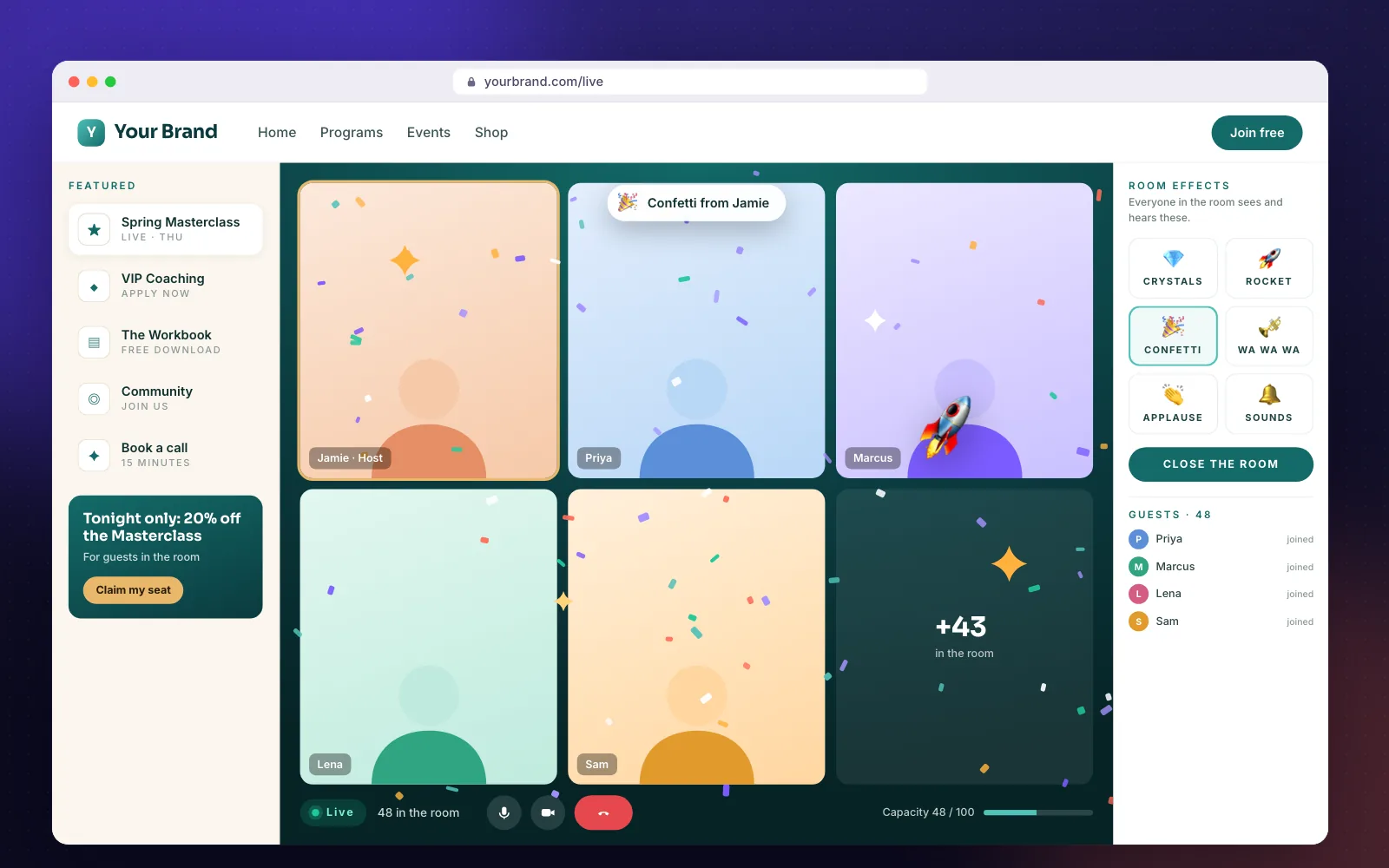
A client webinar should build your brand and your pipeline. BrandedRooms hosts it on your page, captures every guest at the door and hands them to the follow-up you choose.
Every guest becomes a contact
First name and email at the door, tagged by event and sent to your CRM or email tool before you say hello.
Your offer beside the meeting
The case study, the booking link and the proposal request sit in the featured rail the whole time.
The follow-up is already done
After the webinar, guests flow into the funnel you choose — replay, offer, next event.
What you get
- Guest capture with tags
- CRM and email hookups
- Featured offers rail
- Branded waiting room
- Follow-up funnels
- Your domain or subdomain
FAQ
Client webinars: questions
Who owns the guest data?+
You do. Guest names and emails go to you and the tools you connect — never sold and never shared with other customers.
Can guests join without giving an email?+
That is your choice per room. Requiring email is what powers your follow-up.
Is this a webinar platform?+
No. It's the branded front door and engagement layer for the video meetings you already run, so your guests stay on your page.
More use cases
Open the doors to your own room.
No credit card required. Bring the meeting account you already use.